
Marketing Insights
Which GA4 Report Should I Use?
A Guide to Answering Common Marketing Questions


You Don’t Need to Know Every GA4 Report
If you’re just getting started with GA4, we recommend beginning with our guide to common GA4 terms to get familiar with the language you’ll encounter in Google Analytics. Then, take a look at our guide to UTM tracking to learn how properly tagged links can help you collect clearer information about your marketing campaigns.
Once you have those foundations in place, the next question is: “what do you actually do with all that information?
Knowing what the numbers mean is only part of the equation. You also need to know where to look for them, and which GA4 reports can help answer the marketing questions you actually have.
GA4 includes a lot of reports, metrics, dimensions, filters, and customization options. For someone who doesn’t spend their day working in analytics, simply figuring out which report to open can sometimes be the hardest part, but you don’t need all the reports, just the right ones.
Instead of trying to learn every report available in GA4, start with the question you’re trying to answer. From there, you can identify the report, or combination of information, that can help you investigate it.
Here are some common marketing questions and a few of the GA4 reports we use to start finding answers.
I WANT TO KNOW:
How Are People Finding My Website?
START WITH: Traffic Acquisition
If you want to understand what is currently bringing visitors to your website, the **Traffic Acquisition report** is a great place to start.
This report can help you see whether website visits are coming from channels such as:
- Organic Search
- Direct
- Referral
- Organic Social
- Paid Search
- Paid Social
Remember the distinction we made in the first article in this series: Traffic Acquisition focuses on how someone arrived during a particular visit. That makes it especially helpful when you’re trying to understand which marketing channels are actively contributing to website traffic.
But don’t stop at simply identifying the channel with the most visitors. You can also compare how visitors from different channels behave once they arrive. Are people coming from Organic Search engaging with the website? Does email traffic spend more time with your content? Is a paid campaign bringing traffic but very little meaningful activity?
The source of the traffic is only the beginning of the story!
I WANT TO KNOW:
How Are New Visitors Discovering Us?
START WITH: User Acquisition
Traffic Acquisition and User Acquisition sound very similar, but they answer different questions. While Traffic Acquisition focuses on how someone arrived for a particular visit, User Acquisition focuses on how that person first discovered your website.
Imagine someone initially finds your company through a Google search. A month later, they click a link in one of your email campaigns and return to the website.
- Traffic Acquisition can help you investigate that later email visit.
- User Acquisition can help you understand that Google Search was responsible for originally introducing that visitor to your website.
Looking at both can provide a more complete picture of the role different marketing channels play in bringing people into your audience and encouraging them to return.
I WANT TO KNOW:
Which Pages Are Bringing People Into My Website?
START WITH: Landing Page
Not every page view starts on your homepage. Someone might discover a blog article through Google, click an ad that leads directly to a service page, follow a social post to a resource, or arrive on an event registration page through an email.
The Landing Page report helps you identify the pages where website visits actually begin. And that’s an important distinction from simply looking at your most-viewed pages.
A page could receive a large number of views because visitors frequently navigate to it after entering the website somewhere else. A landing page, on the other hand, tells you which content is acting as an entry point.
Once you’ve identified your top landing pages, you can start asking more useful questions:
- How are people finding these pages?
- Are visitors engaging once they arrive?
- Do certain landing pages contribute to more key events?
- Are older articles or resources still bringing people into the website?
- Are the pages you’re actively promoting actually functioning as entry points?
This report can be especially useful when evaluating SEO, content marketing, advertising, and campaign landing pages.
I WANT TO KNOW:
What Content Are People Looking At?
START WITH: Pages and Screens
The Pages and Screens report can help you understand which website pages people are viewing and how users interact with that content.
You might use it to identify:
- Your most-viewed pages
- Pages with particularly strong engagement
- Resources or articles attracting attention
- Important pages receiving less traffic than expected
- Content visitors repeatedly interact with
This is where context becomes especially important. Your most-viewed page isn’t automatically your best-performing page.
For example, a service page that receives 300 visits and contributes to several qualified inquiries may be more valuable to your business than a blog article that receives 3,000 views but generates little additional engagement.

Traffic volume tells you what people are seeing, but it doesn’t necessarily tell you what’s contributing most to your goals.
I WANT TO KNOW:
What Are Visitors Actually Doing on My Website?
START WITH: Events
Remember from our first article in this series that GA4 records many website interactions as events. The Events report can help you investigate the actions visitors are taking after they arrive.
Depending on how your analytics have been configured, those events might include things like:
- Page views
- Scrolls
- File downloads
- Video engagement
- Clicks
- Form interactions
- Other actions specific to your website
Looking at events can help move your reporting beyond “people visited the website” and toward “here’s what they did once they got there.”
Important Note: GA4 can only report on interactions that are being measured. Some events are collected automatically or through GA4’s enhanced measurement features. Other interactions that matter to your organization may require additional tracking to be configured.
If an important website action isn’t being tracked correctly, you won’t suddenly find it by opening a different report. That’s one reason a thoughtful analytics setup is just as important as knowing how to read the reports.
I WANT TO KNOW:
Are People Taking the Actions We Actually Care About?
START WITH: Key Events
Not every website interaction carries the same value. Someone scrolling through a page can be useful information. Someone submitting a request for a quote may be considerably more important to your business. That’s where key events come in!
Key events are the events you’ve identified as especially important to your organization’s goals. Depending on your website, those might include:
- Contact form submissions
- Request-a-quote submissions
- Registrations
- Donations
- Applications
- Important downloads
- Other high-value actions
Tracking key events helps you begin connecting website activity with actual marketing and business objectives. And this is where looking at reports together becomes especially valuable.
Rather than asking only “How many key events did we have?” you can begin asking: “Which traffic sources, campaigns, landing pages, or pieces of content are contributing to those key events?”
That’s a much more useful marketing question!
I WANT TO KNOW:
Did My Campaign Actually Drive Website Traffic?
START WITH: Traffic Acquisition and Campaign
This is where the UTM tracking we covered in the second article in this series becomes especially useful.
If your campaign links were tagged consistently, GA4 can help you isolate traffic associated with a particular campaign and investigate what those visitors did after reaching your website.
For example, imagine you’re promoting the same campaign through email, LinkedIn, and Facebook. Instead of simply knowing how many people clicked within each individual marketing platform, you can use your campaign tracking in GA4 to begin comparing what happened after those visitors arrived.
You might investigate:
- Which source generated the most website traffic
- Which source brought more engaged visitors
- How long campaign visitors engaged with the website
- Which landing pages they entered through
- Whether campaign traffic contributed to key events
This is one of the reasons consistent UTM naming is so important. If your campaign links aren’t tagged consistently, it can become much harder to bring that information together later.
And remember: a click is not the same thing as a successful website visit. The platform that generates the most clicks isn’t necessarily the one bringing the visitors who are most valuable to your organization.
I WANT TO KNOW:
Is Our SEO Bringing People to the Website?
START WITH: Acquisition and Landing Page Reporting
GA4 can help you investigate traffic arriving through Organic Search, including what those visitors do after reaching your website.
Traffic Acquisition can show you how much website activity is associated with organic search traffic, while Landing Page reporting can help identify the pages through which those visitors are entering the site.
Together, those reports can begin answering questions like:
- Is organic search contributing meaningful website traffic?
- Which pages are attracting visitors from search?
- What do those visitors do after arriving?
- Are organic visitors engaging with the website?
- Are they contributing to key events?
However, GA4 is only one part of the SEO reporting picture. If you want to understand how your website is actually appearing within Google Search, including information about search queries, impressions, clicks, and search visibility, you’ll also want to look at Google Search Console.
GA4 helps you understand what visitors do after they reach your website. Google Search Console helps you understand more about what happened in Google Search before they got there.
Used together, they provide a much stronger picture of organic search performance.
I WANT TO KNOW:
Is Our Website Performance Getting Better?
START WITH: More Than One Report
This is where things get a little less satisfying for anyone hoping GA4 has a giant “Is My Marketing Working?” button. Don’t worry, we wish that was a feature too, but unfortunately, it doesn’t.
Website and marketing performance usually can’t be evaluated with a single metric or report. Instead, the answer depends on what you’re trying to accomplish.
- If your goal is increasing awareness, you may care about whether you’re reaching more qualified users and bringing them into the website.
- If your goal is improving engagement, you might look more closely at engaged sessions, engagement rate, average engagement time, and the content people interact with.
- If your goal is generating leads, registrations, donations, applications, or sales, you’ll want to understand whether those meaningful actions are increasing, and what is contributing to them.
- Ff you’re running a specific campaign, you may need to evaluate its traffic, engagement, and key events separately from overall website performance.
That’s why useful analytics reporting starts with the question, not the report.
Be Careful With Comparisons
Once you know where to find your data, it’s tempting to look at a number and immediately decide whether it’s “good” or “bad.” But GA4 metrics need more context!
For example, 1,000 website visits may be fantastic for one organization and concerning for another. A 70% engagement rate doesn’t tell you much by itself if you don’t know what visitors are engaging with or whether that behavior contributes to your goals.
When reviewing performance, it can be more useful to compare your own data over time.
You might look at:
- This month compared with last month
- This quarter compared with the previous quarter
- This year compared with the same period last year
- Campaign periods compared with similar previous campaigns
But even then, context still matters! Seasonality, advertising schedules, website changes, major events, email sends, media coverage, hiring cycles, and countless other factors can influence website behavior. A change in GA4 is the beginning of a question, but not necessarily the answer.
Don’t Just Report the Numbers. Ask What They’re Telling You.
GA4 can give you an enormous amount of information, but the value comes from knowing which information is relevant, connecting it with your marketing activities, and interpreting what it means for your organization!
A useful analytics report shouldn’t simply say something like website traffic increased 15%. Instead, it should help you understand:
- Where did that increase come from?
- Which audiences or marketing efforts contributed to it?
- What did those visitors do after arriving?
- Did that activity support the goals we’re actually trying to accomplish?
- What should we do next based on what we’ve learned?
That’s the difference between collecting analytics and using analytics strategically!
Bringing the GA4 Series Together
Throughout this series, we’ve covered three pieces of the analytics puzzle.
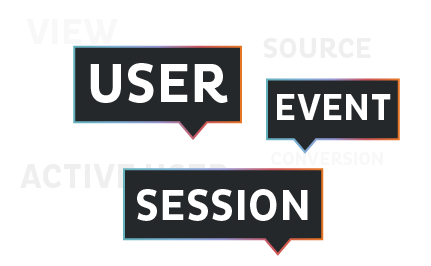
We started by translating some of the most common GA4 terminologyv into plain language so you can better understand what you’re looking at.
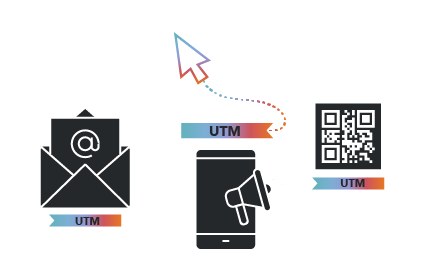
Then, we explored UTM tracking and how consistently tagged campaign links can give GA4 better information about where your marketing traffic came from.
Finally, we’ve looked at some of the GA4 reports and reporting approaches that can help turn all of that information into answers to real marketing questions.
You don’t need to become a Google Analytics expert to get value from your website data, but you do need to know what you’re trying to learn, make sure the right information is being tracked, and understand how to put the numbers into context.
When those pieces work together, GA4 becomes much more than a collection of website statistics. It becomes a tool for understanding what’s working, identifying opportunities, and making more informed decisions about where your marketing goes next.