
Marketing Insights
UTM Tracking
What businesses need to know about privacy policies, terms and conditions, and cookie compliance.

How UTM Parameters Help You Understand Where Website Traffic Really Comes From
In the first article in our GA4 series, we broke down some of the Google Analytics terms you’re most likely to encounter when reviewing website performance.
Now, we’re taking a closer look at one small piece of that reporting puzzle that can make a big difference in the quality of your data: UTM tracking.
You may have encountered a long URL containing terms like `utm_source`, `utm_medium`, or `utm_campaign`. Those additions aren’t changing where the link goes. They’re providing information about the marketing effort that sent someone there.

Used consistently, UTM parameters can help answer questions like:
- Did visitors come from our email campaign or social media?
- Which campaign generated the most website traffic?
- Did people respond differently to our LinkedIn and Facebook promotions?
- Which piece of campaign content generated the most engagement?
- What did visitors do after clicking a particular marketing link?
That makes UTMs particularly useful when you’re marketing across multiple platforms but want to understand performance once those audiences reach your website!
But What Is a UTM Code?
First things first: it’s actually called a “UTM parameter,” and it’s a piece of tracking information added to the end of a URL.
You probably know them more as UTM codes or UTM tags, but they generally refer to the same thing.
For example, your regular URL might look like this:

A URL with UTM tracking might look something like this:

Both links take the visitor to the same page. The difference is that the second link provides additional information that an analytics platform such as GA4 can use to help identify how that visitor reached the website.
How Does UTM Tracking Actually Work?
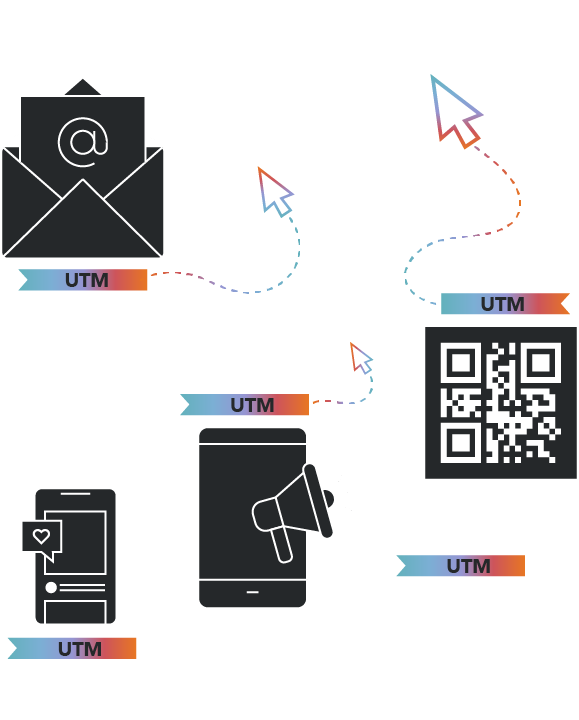
Think of UTM parameters as labels attached to your marketing links.
When someone clicks a properly tagged link, the UTM parameters travel with that visit to your website. GA4 can then use those labels to help organize your website traffic and show which marketing efforts brought visitors to your site.
Instead of seeing only that 500 people visited a particular page, you can begin distinguishing between visits associated with different marketing efforts.
For example, perhaps visitors reached the same landing page from:
- An email newsletter
- An organic LinkedIn post
- A paid Meta campaign
- A digital publication
- A QR code on a printed piece
Without a consistent tracking strategy, some of that traffic may be difficult to identify or may not be categorized the way you expect.
UTMs give you a way to intentionally label those links before they’re distributed.
Now You Might Be Asking:
“What Are All Those Different Parts of a UTM Code?”
We get it – it looks complex! But really, there are five UTM parameters you’re likely to encounter. You won’t necessarily use all five every time.
utm_source
Where Did the Traffic Come From?
Source: identifies the specific platform, publisher, website, or source responsible for sending the visitor.
Examples might include:
`utm_source=linkedin`
`utm_source=facebook`
`utm_source=newsletter`
The goal is to answer: Where did this visitor come from?
utm_medium
What Type of Marketing Brought Them Here?
Medium: identifies the broader marketing method or channel associated with the link.
Depending on your tracking conventions, examples might include:
`utm_medium=email`
`utm_medium=paid_social`
`utm_medium=social`
This helps distinguish between different types of marketing activity.
utm_campaign
Which Campaign Was Responsible?
Campaign: identifies the specific marketing initiative associated with the link.
For example:
`utm_campaign=fall_membership_drive`
or:
`utm_campaign=2026_product_launch`
This becomes especially helpful when several platforms are being used to promote the same campaign.
Your source and medium may change from one link to another while the campaign name stays consistent, allowing you to evaluate the initiative as a whole as well as individual traffic sources within it.
utm_content
Which Specific Piece of Content Did They Click?
Content: can be used to distinguish between individual ads, links, creative variations, calls to action, or other pieces within the same campaign.
Examples example:
`utm_content=video_ad`
`utm_content=carousel_ad`
or:
`utm_content=footer_button`
This additional level of detail can help when you’re testing multiple messages or placements that otherwise share the same source, medium, and campaign.
utm_term
Is There Additional Targeting Information to Capture?
Term: is traditionally associated with paid-search keywords.
For example:
`utm_term=industrial_clamps`
Depending on the tracking strategy, organizations may encounter this parameter in other structured applications as well. The important thing is to establish clear conventions rather than assigning values inconsistently from campaign to campaign.
But Do You Need All Five UTM Parameters?
No! In many cases, source, medium, and campaign provide the core information needed to distinguish campaign traffic. Content and term can provide additional detail when it’s useful.

REMEMBER: more tracking information isn’t automatically better tracking.
A complicated UTM structure that no one follows consistently can create more confusion than a simple structure everyone uses correctly.
Consistency Is the Key to Useful UTM Tracking
UTM parameters are literal, meaning analytics platforms record the values included in your tagged URLs as they are provided. They don’t necessarily know that two different names, abbreviations, or naming styles were intended to describe the same thing.
For example, imagine links from the same platform were tagged three different ways:
`utm_source=facebook`
`utm_source=Facebook`
`utm_source=fb`
A human can easily understand that all three mean Facebook. Your reporting, however, may treat those values separately rather than automatically recognizing them as one consistent source.
The same issue can occur with campaign names, spaces, capitalization, abbreviations, dates, and other naming decisions.
That’s why organizations running ongoing campaigns benefit from establishing a consistent UTM naming convention before links start going out into the world.
There isn’t one universal way every organization has to name its UTM parameters. What’s important is establishing clear naming rules for your organization and making sure everyone creating campaign links follows them consistently.
Where Can You Find UTM Information in GA4?
Once tagged traffic reaches your website, you can use GA4’s acquisition reporting to investigate where those visits came from.
If you haven’t already, start with the GA4 Terms You Actually Need to Know, where we break down the key terms you’ll encounter in Google Analytics. Two of those terms: Source / Medium and Campaign, are especially helpful when reviewing UTM-tagged traffic.
- Source / Medium: can help you understand the combination of where traffic came from and the method used to bring someone to the website.
- Campaign: can help you isolate traffic associated with a specific marketing initiative.
GA4 can help you understand two different parts of a visitor’s journey: how they first discovered your website and how they arrived during a later visit.

Why would you want to know both?
Imagine someone discovers your business through a Google search but doesn’t contact you. Two weeks later, they receive one of your emails, click a UTM-tagged link, return to your website, and submit a contact form.
Google Search originally introduced that person to your business, but your email campaign brought them back when they were ready to take action.
GA4 can help you see those different touchpoints rather than giving all of the credit to a visitor’s very first interaction with your website.
When you’re evaluating a specific campaign, you’ll often want to focus on what brought someone to your website for that particular visit. That’s where information such as the visitor’s source, medium, and campaign becomes especially helpful, and where consistent UTM tracking can give you a much clearer picture of what’s working.
What Can UTM Tracking Tell You?
UTM tracking becomes especially helpful when you stop thinking about clicks as the end of the story. A marketing platform may tell you that someone clicked an ad or email link. GA4 can help you investigate what happened after that click brought them to your website.
Depending on your analytics configuration, you might compare campaign traffic against metrics and actions such as:
- Users and sessions
- Engagement rate
- Average engagement time
- Landing-page performance
- Events
- Key events
- Form submissions
- Downloads
- Other meaningful website actions
That means you can begin moving beyond: “Which campaign generated the most clicks?” and toward more detailed tracking questions like:
“Which campaign brought people who actually engaged with our website?”
or:
“Which marketing effort contributed to the actions we care about most?”
What Does UTM Tracking Look Like in the Real World?
The same basic tracking principles can be applied across industries and campaign types.
Here are a few simplified examples.

Healthcare Tracking Scenario:
Imagine a healthcare organization is promoting an online guide for parents through a paid Facebook campaign.
The destination page is:
`https://examplehealth.org/parent-resources`
A tagged campaign link could look like:
`https://examplehealth.org/parent-resources?utm_source=facebook&utm_medium=paid_social&utm_campaign=parent_resource_awareness&utm_content=guide_ad`
This tells us that the visitor came from Facebook, through paid social advertising, as part of the parent resource awareness campaign, and clicked the guide ad.

Nonprofit Tracking Scenario:
A nonprofit is sending an email encouraging supporters to apply for a scholarship.
The tagged link might be:
`https://examplenonprofit.org/scholarships?utm_source=newsletter&utm_medium=email&utm_campaign=fall_scholarships&utm_content=apply_button`
If other channels are also promoting the scholarship program, consistent campaign naming can help the organization evaluate the broader campaign while still distinguishing email traffic from other sources.

Manufacturing Tracking Scenario:
A manufacturer launches a new product and promotes its product page through LinkedIn advertising.
The link might look like:
`https://examplemanufacturer.com/products/new-product?utm_source=linkedin&utm_medium=paid_social&utm_campaign=new_product_launch&utm_content=product_ad`
This can help separate visitors associated with the paid LinkedIn campaign from people who found the product page through search, direct traffic, referrals, or other channels.

Professional Services Tracking Scenario:
A professional services firm publishes a new industry guide and shares it through an organic LinkedIn post.
The link might look like:
`https://examplefirm.com/insights/industry-guide?utm_source=linkedin&utm_medium=social&utm_campaign=industry_guide&utm_content=organic_post`
The firm can then investigate how traffic associated with that particular promotion behaved after reaching the website.

Association Marketing Tracking Scenario:
An association is promoting registration for its annual conference through an email campaign.
The tagged link might look like:
`https://exampleassociation.org/conference?utm_source=member_email&utm_medium=email&utm_campaign=annual_conference&utm_content=register_button`
If the conference is also being promoted through social media, digital advertising, partner organizations, or other channels, those links can use the same campaign name with different source and medium values to help distinguish how each effort contributed to website traffic.
When Should You Use UTM Parameters (Codes/Tags)?
UTM tracking is useful when you’re intentionally distributing a link and want to distinguish the traffic associated with that effort.
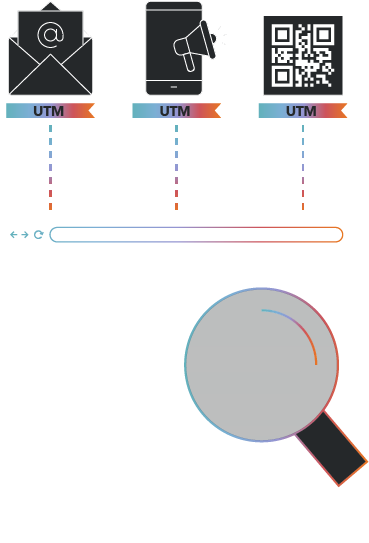
That can include links used in:
- Email campaigns
- Organic social media
- Paid social advertising
- Digital advertising
- Partner promotions
- Online publications
- QR codes
- Certain offline materials that direct users to a tagged URL
Important Note: UTMs are generally intended for links bringing people to your website, not for tracking how visitors move from page to page within the website itself.
Adding UTM parameters to internal website links can overwrite or complicate acquisition information and make it harder to understand how a visitor originally reached the site.
A UTM Is Only as Useful as the Strategy Behind It
Adding UTM parameters to a link doesn’t automatically create good reporting. Useful campaign measurement depends on several pieces working together, including consistent naming, a properly configured analytics setup, meaningful events and key events, and a clear understanding of what you’re trying to measure in the first place.
The truth is that UTMs are one piece of that larger measurement strategy. When they’re used consistently, they help create a cleaner connection between the marketing you’re putting into the world and the website activity you’re seeing in GA4. And once you have reliable campaign data, the next question becomes:
Where should you look in GA4 to make sense of it?
In the final article in our GA4 series, we’ll look at some of the reports that can help answer common marketing questions, from understanding which channels are driving website traffic to identifying the landing pages, campaigns, and content contributing to meaningful engagement.